Why does AI image-to-video make things look greasy and lined
Put the cover under the lamp. Each of the five things that made it work is a layer you can switch on: the words, the grid it sits on, the colours it uses, the subject, the light.
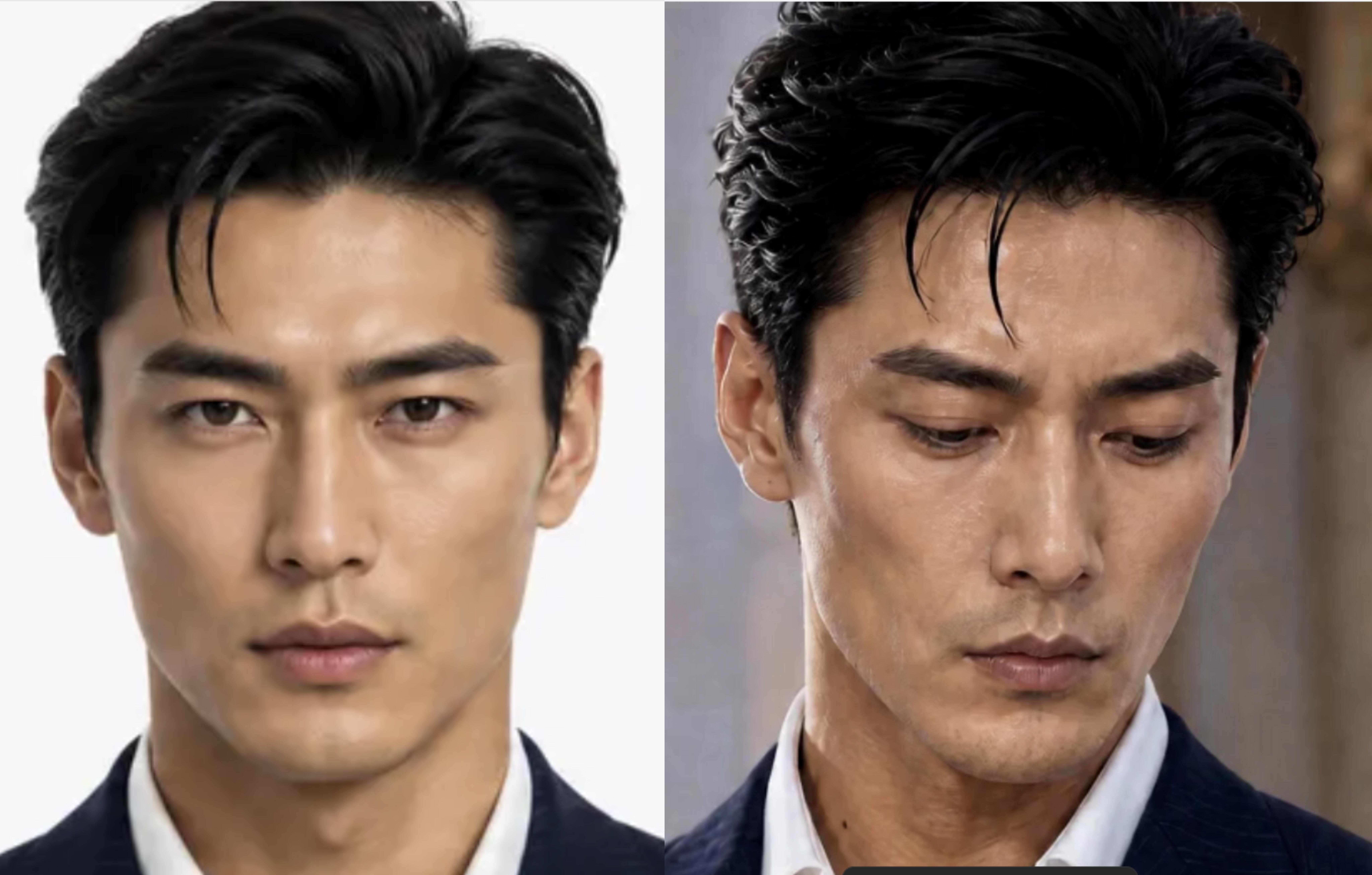
. The image itself has no text; it relies on the difference between the two similar portraits on the left and right to create suspense, making people want to know why the right side turned coarse.
Text
No readable text appears in the image
Expression
The comparison information is carried by the two portraits on the left and right
♥ 170 likes★ 138 saves↗ 13 shares
Posted by 一觉睡到懒羊羊 on Xiaohongshu, 1 Jul 2026. Shown with credit and a link back.
Keep all five layers and swap what’s under them: your shop, your budget, your city. You get four covers and the post text.
Verbatim. Copy it, or let Queenie swap in your own details.
Referencing the case study "Why does AI image-to-video make things look greasy and lined" — its old-photo restoration approach, era texture, visual storytelling and posting tone — generate a new set of vintage old-photo image-text posts. New theme: {fill in the photo theme you want to restore, rebuild or recreate} Reference platform: Xiaohongshu Content direction: vintage old-photo image-text Creation method: keep the original case's nostalgic emotion, film/photo-paper texture, character relationships, era sense of scene and restoration constraints; if it is photo restoration, it must stay faithful to the original image's identity, facial features, composition and historical context, avoiding excessive beautification, redrawing, false historical information and a modern digital plastic feel. Please output: 1. Cover title and subtitle; 2. A 6-9 page image-text script, each page containing a visual description, main copy, era/texture keywords and a save prompt; 3. Visual prompts that can be used directly for image generation or photo restoration, explaining character, scene, lighting, film grain, damage repair and color restoration requirements; 4. Posting suggestions: title length, tags, image ratio and platform tone. Constraints: do not replicate the original author, original characters or brand logos; do not fabricate historical facts; when real people's photos are involved, prioritize identity consistency, and do not make them younger, beautify, slim the face or alter facial features.